E dey lock once screen off
The key dey wipe from memory the moment the screen off — closing foldable phone dey count too. One unlock dey serve the app, the keyboard, and autofill together.
Sekuvo na your safe vault: passwords, cards, and notes, wey dey encrypt for your phone with key wey only your master password fit derive. No server, no account, no sync — and no way to tell anybody.
Google Play listing dey on the way. Sekuvo free and e dey under GPLv3 — the code na the proof.
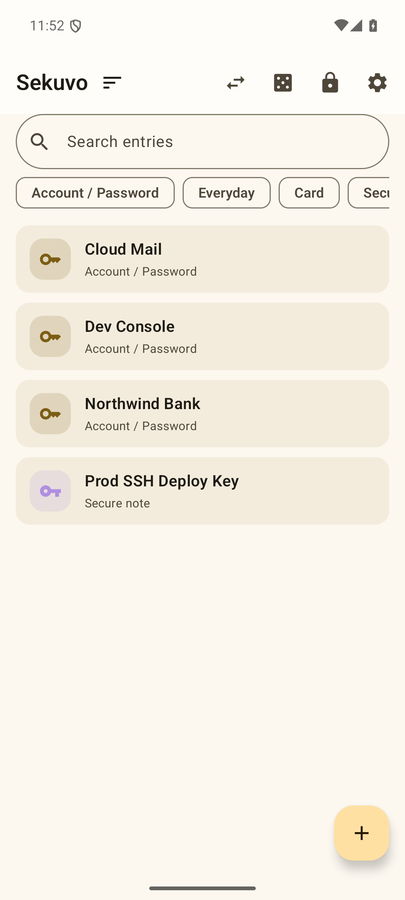
Every password, key and card number for dis screen na random one wey dis page generate — none of am real, and none of am dey comot from your browser.
Every sensitive field dem seal with AES-256-GCM. The key no dey ever touch server because no server dey; e dey derive for your phone, from your master password, every time you unlock am.
The key dey wipe from memory the moment the screen off — closing foldable phone dey count too. One unlock dey serve the app, the keyboard, and autofill together.
One encrypted .vaultbak file, wey you go save anywhere you like. The file plus the backup password go restore everything for any device — the restore path don test from start to finish.
If you forget the master password, the data don go. Na so we design am on purpose: door wey only you fit open no dey hide spare key under mat.
Clipboard na where dem dey steal secrets. Na why Sekuvo dey type values straight go their destination.
Login and card forms go offer your entries direct. While e dey lock, the system no dey get anything — unlock first, then choose.
Switch to am for any app and type saved secret straight inside the field — with search, recent ones on top, no copy step.
Your phone go become Bluetooth keyboard and e go type the secret for where your computer cursor dey. Nothing no dey install for the computer.
SSH keys, .env files, recovery codes… aktar.html go encrypt di secret for your computer and Sekuvo go read am with camera. No server, no account, no clipboard for middle — na only light wey dey travel from screen go lens.
aktar.html na one single HTML file. Download am, compare im SHA-256 with di value for down, then open am from your own disk.
Paste di secret and choose transfer password. Di encryption dey run inside browser, for your own machine; di envelope go show for screen as QR codes.
For Sekuvo: ➕ → Import via QR. Scan di frames, enter di same password, and di entry go land for your vault.
85ee1729fda96072b36303074f21a170d5361c0577a920ef631bd6884d5b653dRun di command for your system inside terminal; wetin e print must match di value for up exactly. Di same value dey for GitHub release notes. You fit also keep am for Sekuvo as Tool anchor (di fingerprint button for home screen) and compare am with your phone next time wey you download.
Na download, no be web page: di address bar go show file://. sekuvo.com no go ever ask you for secret. aktar.html dey speak only English and Turkish for now.
Google Play listing dey on the way. Till then, you fit build am from source — the repository README dey explain am for two commands.
The computer-side tool na one HTML file — aktar.html — and na download, e no be website: e dey run fully for your machine, and dis site no go ever ask you for secret.
github.com → Releases · check the SHA-256 wey dem publish